Why Your AI Vocals Sound Fake — And 9 Fixes
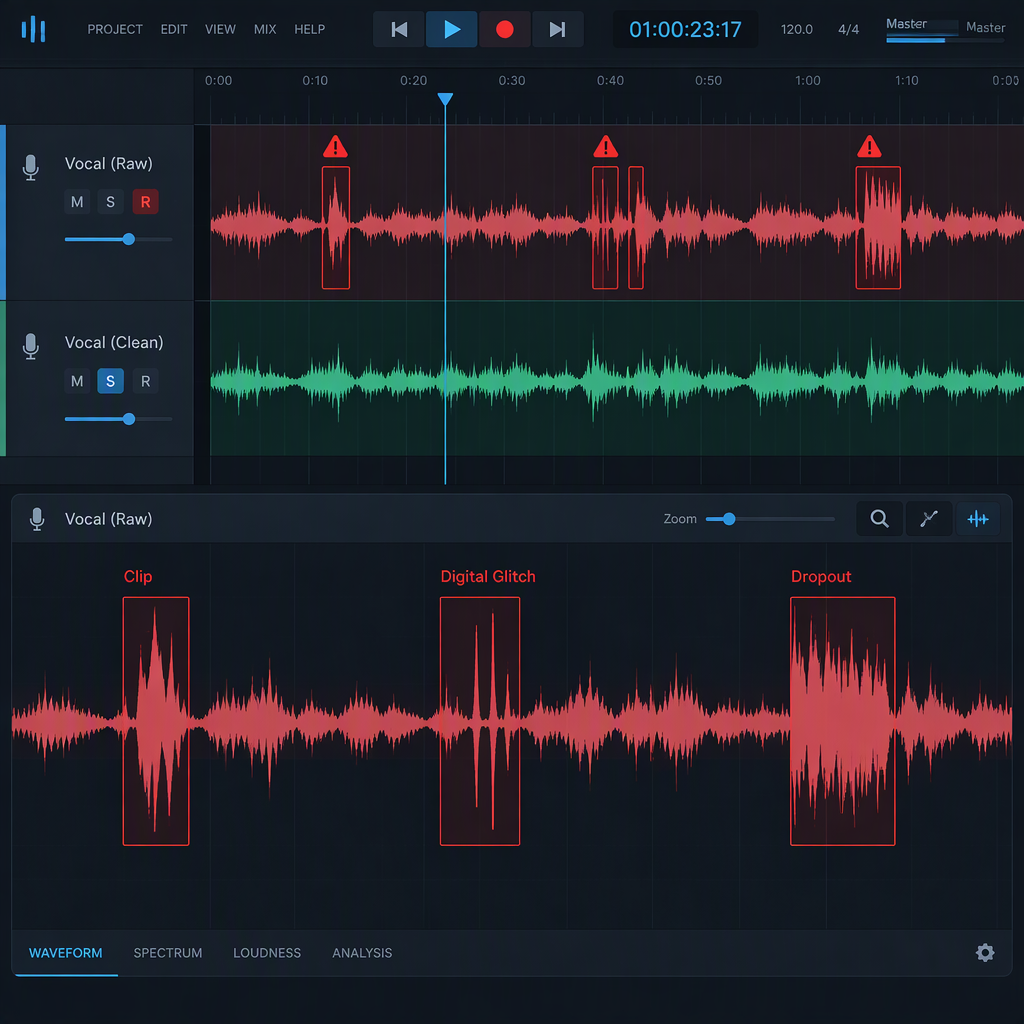
AI vocals sound fake because of nine specific engineering choices, not because the ai music generator itself is poor. Each one is fixable once you know what to listen for. This guide lists the nine most common tells, why they happen, and the exact change that removes them.
The nine tells
1. The voice is too clean
A real vocal has breath, room tone, and occasional mouth noise. AI vocals often arrive surgically stripped of all three. The result is a voice that sits in a vacuum rather than in a space.
Fix: Add a subtle room reverb with a pre-delay of 20–40 ms and a decay under two seconds. Layer a quiet breath sample at phrase starts. If the tool lets you adjust "cleanliness" or "breath," move it toward the organic end.
2. The vibrato is uniform
Human vibrato varies in speed and depth from note to note. AI vibrato is often a perfect sine wave at a fixed rate. It sounds mechanical because it is mechanical.
Fix: If the generator has a vibrato intensity or rate slider, vary it between phrases rather than setting one value for the whole track. If it does not, export the vocal and use pitch-variation automation in your DAW to introduce small, irregular wobbles on sustained notes.
3. The pitch is too perfect
Real singers drift slightly sharp or flat within a single note. AI pitch correction tends to lock every note to the exact center of the target frequency. The ear reads this as synthetic even when the tuning is technically correct.
Fix: Apply a light pitch drift of ±8 to ±15 cents on longer notes. Some tools expose this as "humanize" or "pitch drift." If not, import the vocal into an editor and add micro-pitch variation manually on sustained vowels.
4. The sibilance is wrong
AI sibilance is often either too sharp or too dull. The "s" and "sh" sounds carry more high-frequency energy than the rest of the phrase, and when that energy is off by even a few decibels, the vocal sounds artificial.
Fix: Use a de-esser set to 6–10 kHz with a gentle ratio. If the sibilance is too dull, add a narrow high-shelf boost at 8 kHz on the "s" phonemes only, using automation or a dynamic EQ that responds to the specific frequency spike.
5. The vowel formants are generic
Formants are the resonant frequencies that make an "ee" sound like an "ee" and an "oo" sound like an "oo." AI models trained on averaged datasets produce formants that sit in the statistical middle. They are not wrong, but they are not anyone in particular.
Fix: Use a formant shift plugin to raise or lower the vowel character by ±2 to ±5 semitones. A small upward shift makes a vocal brighter and more distinct; a small downward shift adds weight. Shift the whole track by the same amount rather than automating per note, or the result becomes cartoonish.
6. The phrasing is too even
Human singers push and pull time around the beat. AI vocals often land exactly on the grid. The timing is perfect, and that perfection is the problem.
Fix: Apply a groove template or manually nudge note starts by ±5 to ±20 milliseconds. Push the downbeats slightly early and pull backbeats slightly late. The exact amount depends on the genre, but even a tiny offset breaks the machine-like regularity.
7. The register breaks are missing
A real voice changes timbre when it crosses from chest to head register. AI vocals sometimes produce the same timbre across the entire range, which sounds like a voice that never breathes or adjusts.
Fix: If the tool lets you select a voice model per range, use a darker model for low notes and a brighter model for high notes. If not, split the vocal by range and apply different EQ curves: a low-pass around 3 kHz for low notes, a gentle high-shelf for high notes.
8. The emotion is one-dimensional
AI vocals often deliver the same intensity from the first line to the last. A human performance builds, drops, and rebuilds. The AI delivers a flat line that reads as indifferent.
Fix: Use volume automation to shape the vocal like a performance. Start verses 2–3 dB below the chorus. Add a slight boost on the final word of a phrase. If the tool offers an intensity or energy parameter, automate it per section rather than leaving it static.
9. The mix buries the vocal
Even a well-generated vocal will sound fake if it sits behind the instrumental. The ear stops listening to the voice and starts listening to the artifacts.
Fix: Carve 2–4 dB at 200–400 Hz in the instrumental track to make room for the vocal body. Add a gentle high-shelf boost at 3–5 kHz on the vocal to push the consonants forward. Keep the vocal 1–3 dB above the instrumental peak at all times.
Common questions
Which fix makes the biggest difference?
Start with fix 1 (cleanliness) and fix 9 (mix position). Those two alone transform the listener's impression more than any other pair. The remaining seven polish the illusion once the vocal already sounds like it belongs in the track.
Should I fix inside the ai music generator or after export?
Fix everything you can inside the generator first, because the exported audio is a render of the model's decisions. Once exported, you can only mask problems, not correct the source. After export, handle whatever the generator could not do.
Do I need expensive plugins for these fixes?
No. Every fix here can be done with a stock DAW EQ, a stock reverb, and volume automation. Formant shifting and pitch drift require specialized tools, but free alternatives exist that handle both adequately.
Bottom line: AI vocals do not sound fake because the technology is immature. They sound fake because the defaults are set for clarity, not for humanity. Change the nine settings above and the same vocal becomes a performance rather than a demo.