Give Caption Editors a Way to Manage Editing Time Limits
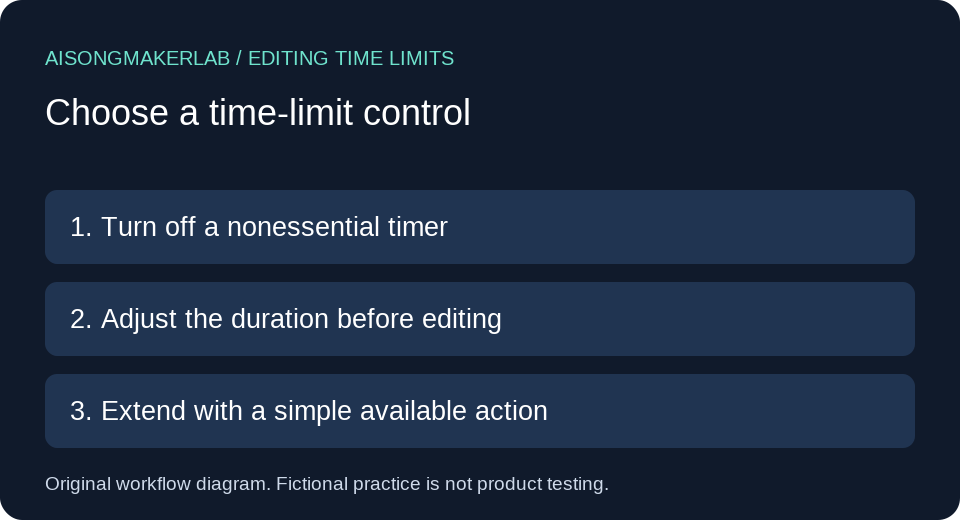
Give editors a usable way to turn off, adjust or extend a content-imposed time limit before it interrupts caption correction. Start by identifying what expires: the editing session, a temporary preview, or a response opportunity. Then review the relevant control and the caption revision it affects. A warning that time is running out is useful information, but it is not itself a way to obtain more time.
If you are comparing the best ai music generator for a lyric-video workflow, include the editor you will actually use after generation. This guide concerns that editing task, not audio quality or a vendor ranking. The five cases below are self-authored fictional design exercises. No generated vendor results, measured product behavior, user testimonials or search-demand figures are claimed.
Start with a small handoff record
Write the cue identifier, revision name and current task before reviewing the timer. For example, a reviewer might be correcting the spelling in cue C14 while another checks its end time. Keeping the task explicit helps distinguish a genuine continuation from a page that merely reopens an older saved file. Use a disposable copy for any future hands-on review, and record actual observations separately from the proposed behavior in this article.
W3C's Timing Adjustable explanation, read 27 November 2026, describes SC 2.2.1 at Level A. For content-imposed time limits, its alternatives include disabling the limit before encountering it, adjusting it beforehand across at least ten times the default duration, or providing a warning with at least 20 seconds for a simple extension action and permitting at least ten extensions. It also defines real-time, essential and longer-than-20-hour exceptions. These are criteria from the source, not timings measured in a music product. A complete conformance evaluation is outside this worksheet.
A practical comparison sequence
- Name the timed activity and the event that starts its clock. Do not treat the length of the song as an editing deadline.
- Find a control before starting work. Record whether it disables the limit, changes its duration, or offers an extension when needed.
- Follow the chosen path on a disposable draft if a hands-on review is authorized. Record the exact setting or warning and its source; leave untested behavior unknown.
- Check whether the same revision and editing position remain available. A timer reset does not, by itself, prove draft preservation.
- Record repeated extension availability and any claimed exception separately. Do not infer an exception from a product's marketing label.
Five self-authored fictional cases
All five cases are invented by AISongMakerLab to make the review process concrete. The people, projects, controls and outcomes described as desired behavior are fictional. None represents an observed vendor result.
1. Turn off a nonessential review timer
Mara is preparing captions for an invented song called Paper Lanterns. Her fictional team has added a countdown to encourage short review sessions. She is comparing a printed lyric revision with cue C14, so the work includes reading away from the keyboard. The team's proposed timer returns the editor to the project list even when the lyric comparison is unfinished. The practice task is to design a way to disable that optional timer before opening the draft.
Her review record names the timer as a team pacing aid, not the song duration or an authentication rule. The proposed setting is available before the timed task and explains which behavior it changes. She does not describe the setting as an unlimited server-storage promise. Turning off a pacing reminder and guaranteeing draft retention are separate commitments.
For a future observed check, Mara would record the selected setting, the revision opened and what happens after the former limit. Until that check occurs, the outcome remains proposed. The useful artifact is a two-part record: timer control on one side, revision continuity on the other. This prevents a disabled visual countdown from being treated as proof that the underlying expiration was disabled too.
2. Adjust the duration before entering the editor
Jon is reviewing a fictional bilingual chorus with a collaborator. Their process includes discussing the meaning of each line before changing its caption. In this exercise, a hypothetical editor offers a default limit of two minutes. The proposed duration selector allows a range extending to twenty minutes before the timed work starts. Those numbers are invented design inputs chosen to illustrate a tenfold range; they are not measurements or a recommended duration for every user.
Jon writes both the default and selectable range in the worksheet. He also records whether the selection applies to this project, this session or later visits. A label reading more time is too vague for the handoff because it does not explain what was selected. A preference hidden after the first expiration would also miss the intended before-task opportunity in this design.
The desired continuation is that Jon can begin the lyric comparison with the chosen setting already active. His collaborator should not have to reproduce the same change for every cue unless that scope is explicitly intended. No actual editor was used here. The case produces a settings-scope question and an example calculation, not evidence of a product meeting a standard.
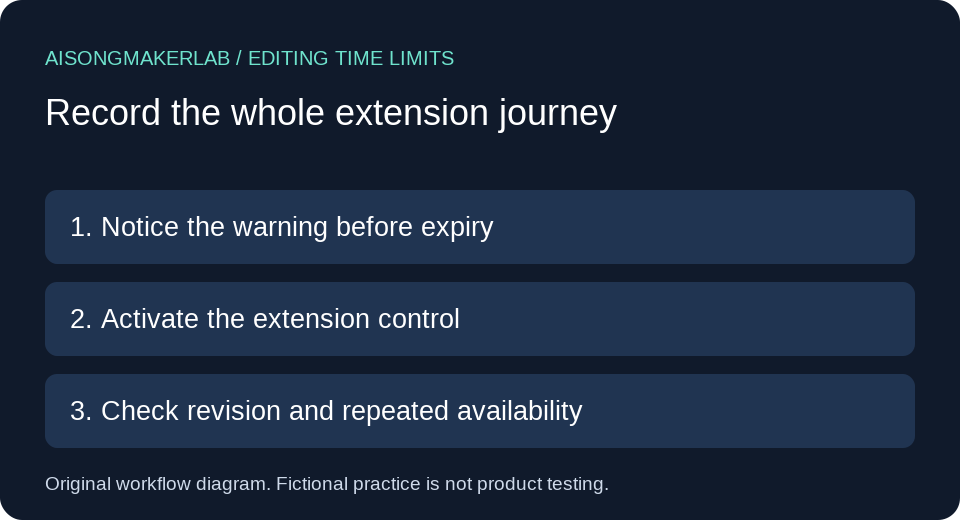
3. Make an extension action usable at the warning
Inez is correcting the end of a fictional spoken bridge. A proposed session warning appears while her focus is in the end-time field. The design exercise asks how she can request more time without first navigating through unrelated screens. The warning offers a clearly named continuation action and explains the pending expiration. Her worksheet separates warning delivery, time available to respond and activation of the extension.
Inez proposes a response window of thirty seconds for the exercise. That fictional number exceeds the twenty-second minimum described in the cited extension route, but it is not a measured response time and does not settle the other requirements. The team still needs to review whether the action can be found and operated using the input methods the editor supports. A visible button alone cannot answer that question.
The proposed after-action state preserves her unsaved correction and identifies the same cue. If a future observation instead reveals a blank form or an earlier revision, the record should say so even if the timer visibly restarts. This case yields a warning-to-continuation sequence with separate evidence fields. It does not claim that a mockup, button label or elapsed-time estimate establishes accessibility.
4. Review repeated extensions across the same task
Dev is aligning a fictional final chorus and outro. One extension would let him finish a single cue, but his review contains several cues that need discussion. The proposed interface supports repeated requests for more time. Dev's worksheet therefore includes an extension sequence rather than a single successful click. Each row links a request to the same project revision and records whether the control remains available.
In this fictional plan, the review would cover at least ten permitted extensions when assessing the extension route described by W3C. Dev does not mark ten rows as passed merely because a settings page says repeatable. He prepares blank rows, distinguishes documented behavior from observed behavior and leaves them unfilled until an authorized check can supply evidence. If checking stops early, the remaining rows stay unverified.
The desired behavior is that later extensions remain as usable as the first and do not silently replace the current draft. The exercise also asks what happens when the editor moves between the chorus and outro panels. It does not assume those panels share a timer. The resulting artifact is a repeatability record that can expose a one-time grace period without pretending that any real product has that limitation.
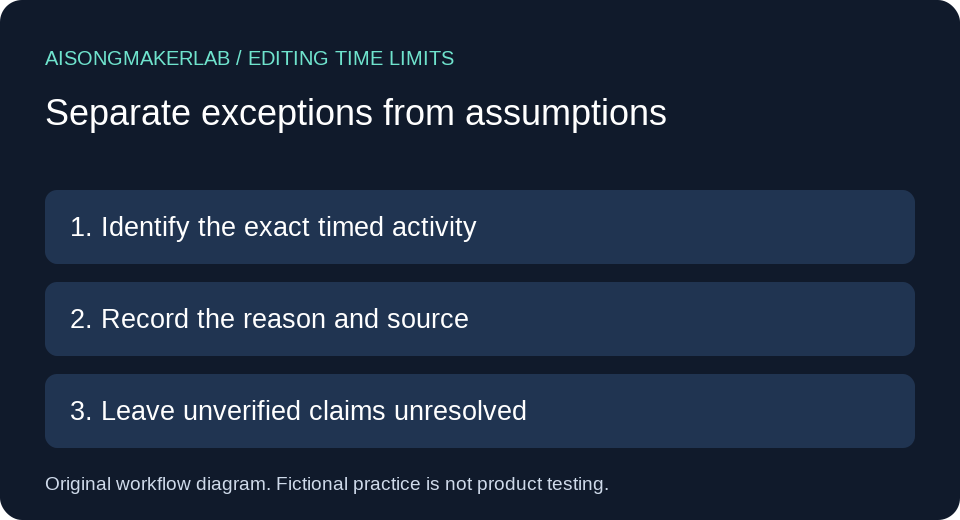
5. Examine an asserted exception precisely
Leah is reviewing a fictional workflow with two clocks: a scheduled live listening event and an ordinary caption correction session. Someone proposes labeling both deadlines essential. Her task is to separate the activities before deciding which claim needs evidence. A live event's schedule does not automatically explain why the editor's unrelated text correction must expire at the same moment.
She records the timed activity, the stated reason for its deadline and the specific consequence of extending it. The fictional event may need a fixed synchronized start; the offline draft correction may not. This is a question to investigate, not a conclusion about the applicability of an exception. She asks for a concrete explanation of why an alternative would invalidate the relevant activity rather than accepting a broad security or real-time label.
If the team cannot supply that explanation, Leah marks the exception basis unresolved and continues considering practical time controls. She does not claim that every security timeout is prohibited or that all real-time limits qualify. The case produces a scoped decision record: which clock, which task, which evidence, and which unknown. It prevents a justification for one stage from being silently reused across the whole lyric-video workflow.
Keep the comparison reviewable
Download the blank worksheet below and keep one record per timed activity. Put source statements, proposed behavior and actual observations in separate fields. Include the reading date and revision identifiers. If a limit cannot be inspected, mark it unknown; do not substitute the behavior of another tool or a previous session.
Keep advance inactivity warnings as a separate review: that task explains potential data loss before editing, while this one examines controls for time limits. Neither replaces a recovery check after an interrupted session. A team can need all three records without creating three different names for the same test.
Frequently asked questions
Is showing a countdown enough?
No. A countdown communicates remaining time. This review also asks which action changes or disables the limit and what happens to the current correction after that action.
Must every editor provide all three control routes?
The cited criterion presents alternatives and exceptions. Record the applicable route and its conditions instead of treating this article as a requirement to implement every possible control.
Does extending a session prove that the draft was saved?
No. Keep session duration and draft state as separate observations. Identify the exact revision before and after the action.
Can I fill the worksheet from a help page?
You can record the help page's statements with its URL and reading date. Label them documented claims. Leave actual control operation and draft behavior unverified until observed.
Does this guide identify a winning music generator?
No. It supplies a specific editing-workflow review that can inform your choice. It does not contain comparative product tests, search-volume estimates or a universal ranking.
Download the five fictional cases · Download a blank review CSV