Review Automatic Background Motion Beside Lyric Text
Give the reader a stable reading state: identify every automatically moving layer, provide a usable way to pause, stop or hide the relevant motion, and check that the lyrics and meaningful information remain available afterward. Record what each control affects. Stopping the song does not necessarily stop an animated page background.
For someone choosing the best ai music generator for a lyric-video workflow, the delivery page deserves a separate review from the generated song. This guide supplies an original layer inventory and five self-authored fictional cases. They are practice scenarios, not generated vendor results, measured performance, user quotations or completed accessibility tests.
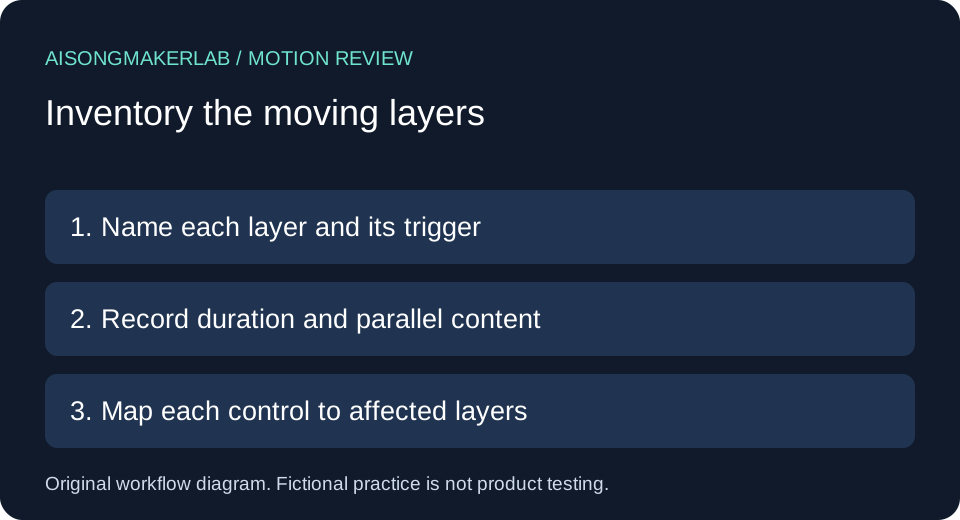
Start with a small handoff record
Save the page address, video revision, lyric revision and intended reading task. Assign each moving layer a name: video picture, backdrop, sidebar or other page element. Record its trigger, duration, whether other content is present, available control and resulting reading state. Leave unknown values pending instead of inferring them from a still image.
W3C's explanation of Pause, Stop, Hide describes automatic moving, blinking or scrolling information lasting more than five seconds alongside other content: users need a way to pause, stop or hide it unless the movement is essential. Automatic updating has a separate condition without that five-second qualification. Flashing needs a separate assessment. This worksheet is a limited review aid, not conformance certification.
A practical comparison sequence
- Open the actual delivery page and record which layers start without intentional activation. Do not infer the trigger from the editing timeline.
- Name the reading task, such as reading a stationary verse while a decorative loop runs behind it. Record the relevant duration and parallel content.
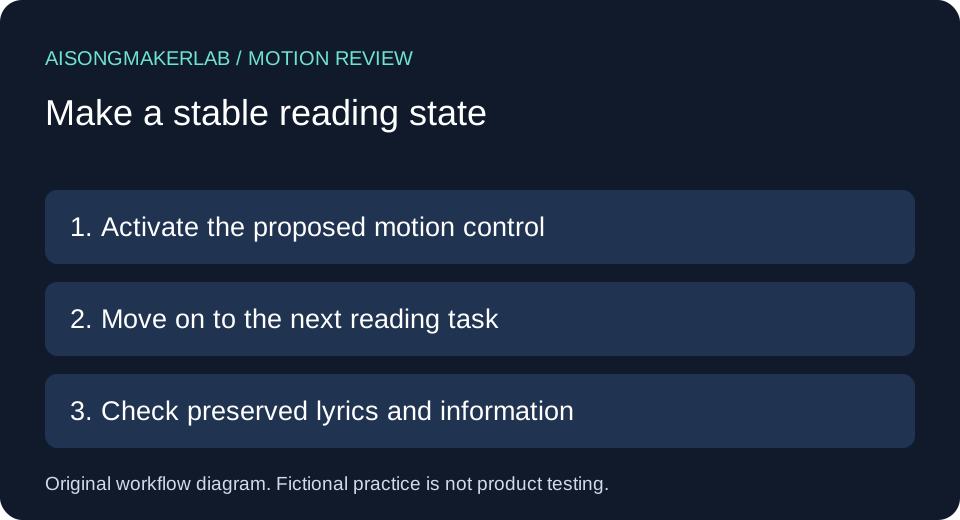
- Activate the proposed control and note exactly which layer changes. Continue to another page control to see whether the stable state persists.
- Check that approved lyrics, relevant scene information and the path back to playback remain understandable in the chosen state.
- Repeat affected checks after replacing the video, changing the page template or adding another animation. Keep observed results separate from the intended design.
Five self-authored fictional cases
The following five cases are invented by AISongMakerLab for this guide. Names, layer behavior and proposed decisions are fictional. No vendor player was operated to produce these examples.
1. A loop behind a stationary verse
Fictional setup: Mara places a verse on a landing page over a decorative cloud loop. In the imagined design, the loop starts when the page loads and repeats while the verse stays visible. The only obvious pause button belongs to a separate song player. Her draft inventory has two rows, cloud backdrop and song player, because one button label cannot establish control over both.
Proposed decision: Give the cloud row its own stable-state action or connect it to a clearly described shared motion control. The review entry should say which layer stopped and whether the entire verse stayed readable. A muted speaker icon would answer a different question. If Mara cannot determine the duration or trigger in the delivered page, those cells remain pending rather than receiving a pass from the mockup.
Handoff: Attach the exact backdrop revision and the intended stationary image. Ask the reviewer to activate the control, move on to a lyric link and note whether the backdrop starts again. This is an authored test plan, not an observed successful fix.
2. An animated sidebar outside the video
Fictional setup: Owen prepares a lyric video with a normal playback pause control. Beside it, a promotional strip scrolls automatically through project names. Pausing the video in his imagined layout leaves the strip moving. His initial note, “player has pause,” covers only one row of the inventory and cannot describe the surrounding page.
Proposed decision: Treat the strip as another layer with its own trigger, duration and control. Preserve a readable way to reach the project links if the strip is hidden. If a stationary list replaces it, compare the destinations with the original approved list rather than assuming that freezing one item preserves all choices.
Handoff: Owen records two requested outcomes: stop the relevant strip motion and retain access to the project destinations. He leaves both outcomes unverified until someone checks the published template. A change to the video export alone does not close the sidebar task. The example illustrates review scope, not a claim about any real publisher's controls.
3. Motion pauses only while focus stays on a button
Fictional setup: In Priya's prototype, moving artwork becomes still while a certain control has focus. As soon as she would navigate onward to read a related lyric note, the artwork would resume. That behavior is stipulated for this fictional exercise; it was not observed in a browser test.
Proposed decision: Specify a persistent reading state that does not require the reader to keep focus on the artwork control. Keep a separate record of activation, moving onward and explicit resumption. The reviewer needs to know whether leaving the control undoes the action, because reaching another link is part of the reading task rather than an accidental interruption.
Handoff: Priya writes an expected sequence: activate the stable state, visit the next relevant control, read the verse, then intentionally resume if desired. Actual keys, focus destination and observed motion remain blank in the downloadable record. She does not mark the prototype accessible simply because one frozen frame exists. A proposed interaction and an actual completed walkthrough belong in different columns.
4. Several moving layers with different controls
Fictional setup: Ellis combines an animated backdrop, a rotating album card and a video player. The imagined “Pause video” action stops only the player. A separate switch freezes the backdrop but leaves the card rotating. The design might be understandable with separate controls, but a broad label such as “Stop all motion” would promise more than the described behavior supplies.
Proposed decision: Create one inventory row per layer and map each action to its affected rows. If a shared control is proposed, specify its scope and test each row after activation. Preserve the individual playback controls when they serve a different purpose. Do not count three buttons as evidence that all three moving layers are covered.
Handoff: Ellis supplies a simple mapping: control name, affected layer, intended stable state and pending observation. When the rotating card is replaced later, only the affected mapping is revised, but the shared control is checked again. This invented example adds a reviewable ownership record without claiming a universal player shortcut or measured product behavior.
5. A stationary rendition loses meaningful information
Fictional setup: Noor's visual sequence includes an on-screen dedication that appears between verses. Her proposed static fallback uses the opening artwork, which does not contain that dedication. The invented fallback is calmer, but its content inventory is incomplete. The task is therefore not finished merely by choosing a still image.
Proposed decision: List the meaningful information that the stable rendition must preserve. Noor can plan a stationary note or an accompanying descriptive transcript for the dedication, then review wording and association with the song. Decorative movement and meaningful visual information receive separate decisions. She should not label all movement essential simply because the existing export contains it.
Handoff: Save the approved dedication text, its relationship to the song and the proposed alternative location. Ask a reviewer to confirm that a reader can find it without restarting the distracting layer. Leave discovery and wording checks pending until observed. This scenario demonstrates content preservation in an authored workflow; it does not establish that an alternative is sufficient for every accessibility requirement.
Keep the comparison reviewable
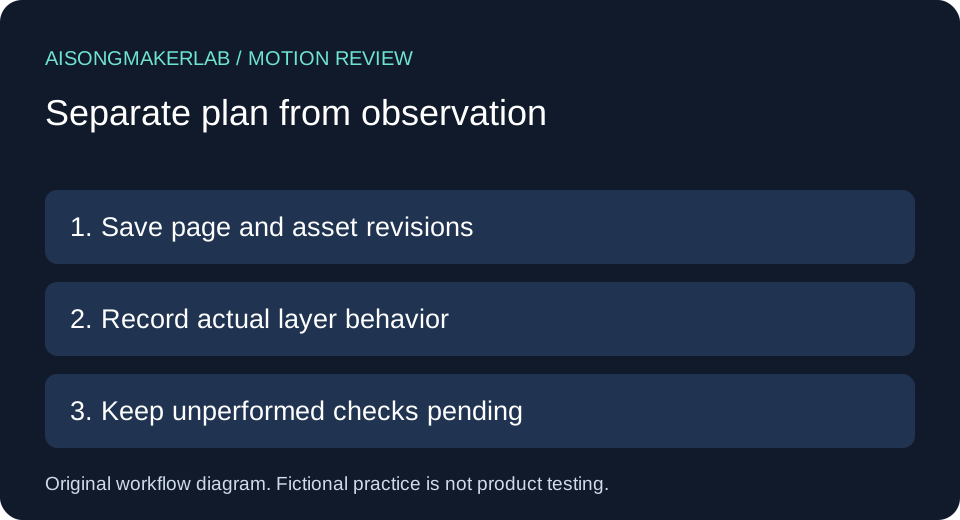
The blank CSV is a proposed manual record. Use one row per layer and attach actual observations only when performed. Keep an intended outcome distinct from a successful result. The fictional cases JSON provides practice material; it contains no customer records or vendor benchmarks.
In the current OpenMusic music-video page, the observed structure begins with format choices and showcases, followed by explanatory sections and FAQs. This guide adds a layer-by-layer delivery review. That comparison concerns one public page's structure, not every competitor page, product capability or Google rank. Sources were read on November 11, 2026; no competitor prose was reused.
Frequently asked questions
Is pausing the video enough?
Only an actual layer check can establish what that action stops. Inventory the surrounding page as well as the video.
Does muting audio create a stable reading state?
It does not establish that visual motion stopped. Record audio and motion outcomes separately.
Should every scene become a still image?
This workflow does not prescribe that. Choose a useful reading state and preserve meaningful information for the intended task.
Can I approve the page from a screenshot?
A screenshot cannot establish triggers, duration or control behavior. Use an actual interaction record for those questions.
Does this worksheet certify accessibility?
No. It documents a limited task, pending checks and revision scope. It is not a complete accessibility evaluation or a flashing-safety test.
Download the five fictional cases · Download a blank review CSV