Make Lyric Video Player Status Messages Available Without Moving Focus
Give routine player updates an appropriate programmatic notification route while keeping the viewer's focus where they left it. Start by separating buffering, completion and error notices from changes that open a new context. Then record the visible message, intended announcement and actual behavior separately. A role added to markup is a design choice; a successful announcement still needs observation with the intended browser and assistive technology.
If you are choosing the best AI music generator for a lyric-video workflow, include the delivery player in your review. A finished soundtrack does not answer whether someone can discover that captions loaded or that saving failed. This guide addresses that handoff task, not music quality rankings or generator performance.
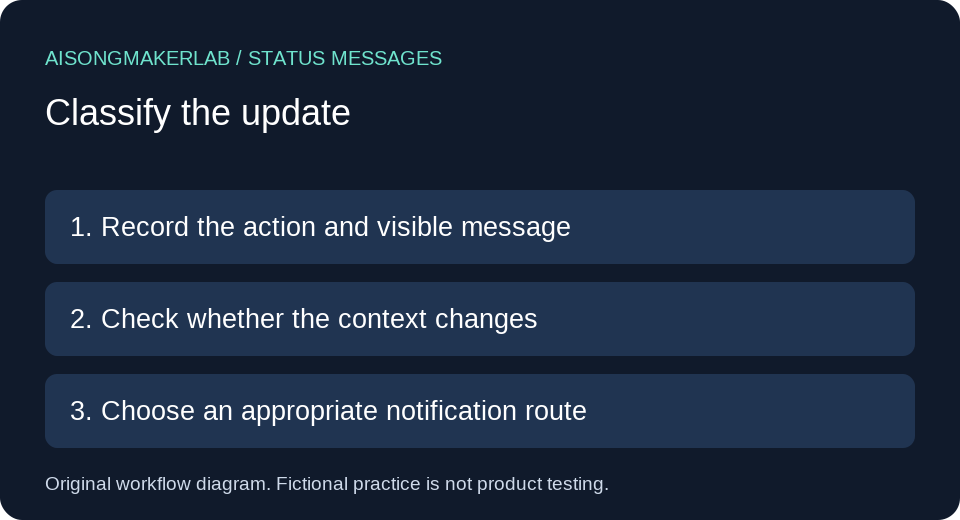
Start with a small handoff record
Keep one row per event: player revision, triggering action, visible message, context change, notification route, focus before and after, browser and assistive technology, observed announcement, and pending check. Do not populate observations from a design specification. The downloadable CSV starts empty for that reason.
The W3C explanation of Status Messages describes updates about results, waiting, progress or errors that occur without a context change. They need roles or properties that allow assistive technology to present them without receiving focus. A results list itself differs from a brief notice reporting that no results were found. W3C also cautions against excessively chatty live regions. These are source-backed boundaries, not evidence that a particular player passed a test.
A practical comparison sequence
- Trigger one event and copy its visible text. Note whether a new page or dialog changes the context.
- Decide what information the viewer needs and how urgently. Routine waiting or success updates usually warrant a noninterrupting route; an urgent error may justify a different treatment.
- Implement the selected semantics in the player you control. Treat a status role as a candidate for routine messages, not a universal replacement for every notification pattern.
- Observe the actual announcement and focus position with a recorded browser and assistive technology combination. Repeat when updates replace earlier text or happen in quick succession.
- Save the observation, including silence, repetition or interruption. Leave inaccessible third-party implementation details and unperformed checks pending.
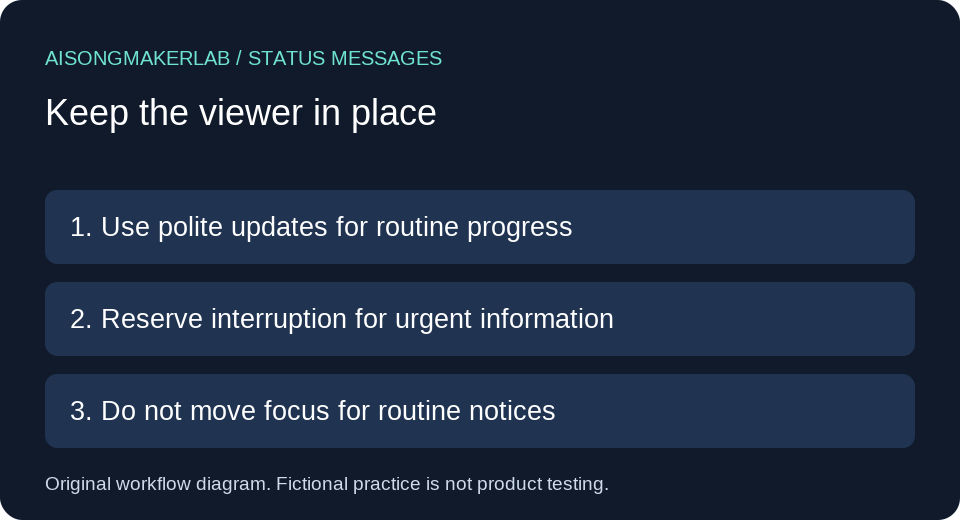
Five self-authored fictional cases
All five cases below are self-authored fictional design exercises. The people, player states and message text are invented to make the review procedure concrete. They are not generated vendor results, customer quotations or completed accessibility tests. Proposed outcomes are acceptance targets for a later check.
1. Buffering interrupts a verse
Fictional editor Maya places a lyric video on a project page. In the proposed player, a connection delay displays a spinner and the words “Buffering video.” Keyboard focus is on Pause. Her first draft moves focus onto the notice so that it will be read. That would also pull the viewer away from the control they were using.
Her revised handoff row treats buffering as a waiting-state message in the existing context. The proposed route is a polite status update, and the focus target remains the same control. She writes a second message, “Playback resumed,” for the recovery state rather than relying on the spinner simply disappearing. These are proposed messages, not observed announcements.
For the later check she will record whether the waiting and recovery information is available, whether either message repeats unnecessarily, and whether the control remains operable. If the delay is too brief to reproduce, she will mark the scenario unobserved instead of declaring success from seeing the markup. Her record keeps loading behavior separate from caption synchronization and from the music service that supplied the audio.
2. A caption download completes
Fictional producer Leon offers a caption-file download alongside a preview. His proposed interface displays “Caption file ready” after preparation, while the viewer remains on the download control. He wants the completion state to be discoverable without sending focus to a decorative checkmark.
He records the trigger as completion of file preparation, not completion of a download to the viewer's computer. That distinction matters: the page may know that a file is ready without knowing whether the browser saved it successfully. His proposed message therefore avoids “Saved to your computer.” A polite notification route is the starting design for this ordinary completion event.
His later acceptance record will include the actual visible text, what was announced and the location of focus. He will also check that another attempt can produce a useful completion notice, rather than leaving unchanged text that never communicates the new event. The fictional case supplies a wording and event-boundary exercise. It does not establish how a browser download manager announces files, nor does it claim the proposed caption file has been generated or inspected.
3. A playlist search finds nothing
Fictional reviewer Nia searches a lyric-video playlist for an old draft title. The proposed interface replaces the results area with “No matching videos” without navigating away. Her initial worksheet labels the entire results container as one announcement, including headings, filters and help links.
She narrows the proposed notification to the result summary. The empty-results notice tells the viewer the outcome; the surrounding controls remain available for exploration. Her target is to keep focus in the search field while making the result summary available through the chosen status route. A separate link to clear the search is an actionable control, not a reason to force focus onto the message.
The later check must distinguish an announcement of the summary from reading all newly rendered content. She will record the query and actual response rather than assume a changing container is sufficient. If the implementation navigates to a new results page instead, she will reclassify the event before applying this same-context plan. This exercise tests the reviewer's classification method; it does not assert that any named competitor has an inaccessible search feature.
4. Saving a caption choice fails
Fictional developer Omar lets viewers save their preferred caption language. In his scenario, a failed request leaves a visible “Preference could not be saved” notice while the selected language remains usable for the current session. The design must explain that persistence failed without falsely implying that captions stopped working.
Omar writes the consequence in the handoff row: the current selection works, but returning later may require selecting it again. He considers whether the error needs an interrupting alert based on its urgency and the interaction, rather than assigning every failure an alert automatically. He keeps the message available long enough to revisit and leaves an explicit retry control near the setting.
His acceptance target is that the failure information is available without an unexplained focus jump and that Retry remains reachable. The eventual observation must record what actually happened to focus and speech. If the implementation opens a modal error dialog, that is a different context-management problem and needs a separate review. No request was sent in this fictional example, and no successful recovery or server response is claimed.
5. Progress updates become a speech queue
Fictional editor Priya adds a caption-package preparation indicator. Her proposed visual display changes repeatedly while the viewer reads lyrics. An early plan sends every tiny progress change to the same live region. She recognizes a potential problem: a useful visual indicator could produce distracting repeated speech.
Her revised plan separates the detailed visual progress display from a small set of meaningful status events, such as preparation starting, completion or failure. She does not invent a universal number of seconds between announcements. The useful granularity depends on the task and must be checked with the actual implementation. A progress value still needs appropriate semantics where applicable; reducing speech frequency is not a reason to hide necessary information.
Her worksheet asks the reviewer to note delayed announcements, interruption of other speech and obsolete messages arriving after completion. She records expected behavior separately from the observed sequence. If that sequence has not been heard, the outcome remains pending. This fictional case contributes an event-grouping decision and an observation plan, not a measured latency figure or a promise that all screen readers handle queued updates identically.
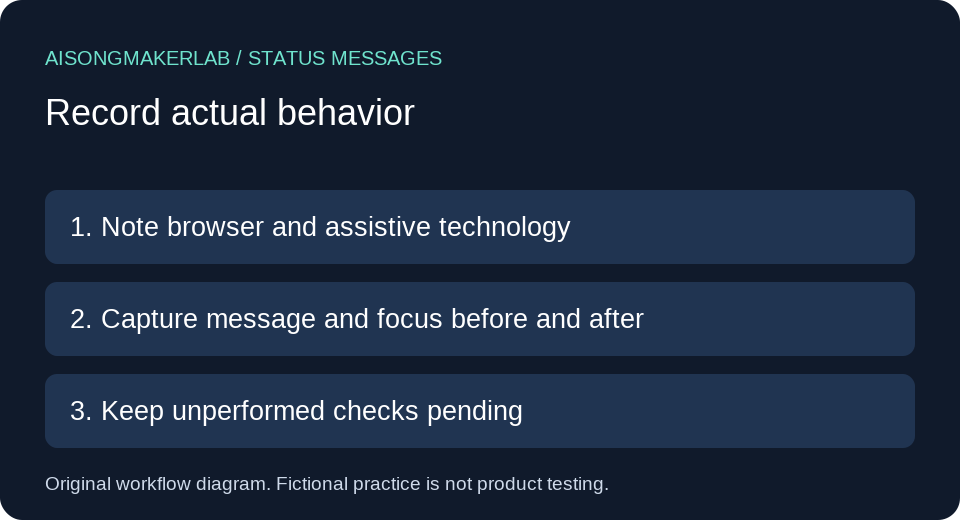
Keep the comparison reviewable
Use the five cases as practice inputs, then create your own event rows. Record the exact player revision because changing the notification container can change behavior. Preserve both the expected outcome and the actual observation; a failed check is useful evidence. Do not turn these exercises into a conformance certificate. Control naming, keyboard operation, captions and focus visibility remain separate review tasks.
Frequently asked questions
Should every update move focus?
No. For a routine status update in the current context, the goal is to make information available without taking focus. New views and dialogs require their own context and focus review.
Is a spinner enough?
A visible spinner alone does not establish that its meaning is available to assistive technology. Record the waiting-state information and how it is conveyed, then check the implementation.
Should every error use an alert?
Choose the notification treatment based on urgency and context. An interrupting message can be disruptive when used for ordinary, nonurgent updates.
Does a status role prove the message was spoken?
No. Markup inspection and observed behavior are different evidence. Record the browser, assistive technology, trigger and actual result when testing.
Are these results from a music generator?
No. These are five explicitly fictional authored cases and a blank workflow worksheet. They contain no vendor measurements, user quotations or search-demand claims.
Download the five fictional cases · Download a blank review CSV