Negative Prompts for AI Music: A Removal Framework That Actually Works
Most frustration with an AI music generator is not a missing feature; it is an unwanted element you never removed. Write the track you want in the main prompt, then put everything you do not want into a separate exclusion line, grouped into five slots: instrument, event, texture, arrangement, ending. This page gives you those five slots, a symptom to exclusion table, three copy-paste ladder blocks, and a four-run test that tells you whether an exclusion actually changed the output or just felt productive.
What an exclusion line can and cannot do
An exclusion line is a steering instruction, not a filter. Three limits are worth keeping in mind before you build a long exclusion block:
- Steering, not deletion. Exclusion lines bias the next generation. They do not edit a finished track. If the unwanted thing is already in the output, regenerate with the line in place, do not expect an in-place fix.
- Positive description still does most of the work. A model that reads "no reverb, no reverb tail" with no positive description of the room will often pick something close to a default. Always name the room, the mic, the genre, and the style you want first, then add exclusions in a separate slot.
- Field placement changes the result. Some tools give you a dedicated exclusion or negative field. Some have only one style box. The same words in different fields can produce different results, so the four-run test below is built to check that exact variable instead of leaving it to chance.
None of this is about a single tool. The framework below is about describing music, so it works with whichever generator you currently have open.
The five removal slots
Almost every unwanted element in a generated track fits one of five categories. If you can name the slot, you can write the line:
- Instrument. Specific sound sources that should not appear at all. Drums, electric guitar, sub bass, choir, synth lead, hand claps, cowbell, harmonica, organ. If it is a noun, it usually belongs in this slot.
- Event. One-off or short moments: a fill, a riser, a drop, a key change, a tempo shift, a vocal chop, a count-in click. If it is a moment, it usually belongs here.
- Texture. How a sound is recorded, processed, or layered: reverb tail, distortion, tape hiss, vinyl crackle, heavy compression, harsh cymbals, sub-bass mud, overdriven vocal.
- Arrangement. What the track as a whole is allowed to do: an instrumental solo, a long break, a key change, a spoken word section, a loud chorus, a bridge. If the complaint is structural, this is the slot.
- Ending. How the track stops: a fade-out, an abrupt cut, a held final chord, a slow tail, a frozen last bar. This slot is its own category because ending problems are the single most common complaint and the easiest to fix with one line.
When the unwanted thing is vague, walk it through these five in order. Most tracks only need exclusions in two or three of the slots, not all five.
Symptom to exclusion: the diagnostic table
Pick the row that sounds like your output, then paste the line into the exclusion slot for that field. Add it to the positive prompt as well so the model knows what should be there instead.
| What you hear | Slot | Line to add |
|---|---|---|
| Vocals appear when you wanted an instrumental | Instrument | exclude: vocal, vocals, voice, voices, choir, spoken word, rap, ad-lib |
| A drum kit keeps showing up in a piano piece | Instrument | exclude: drum, drums, drum kit, kick, snare, hi-hat, percussion, cymbals |
| Reverb tail smears the end of the line | Texture | exclude: long reverb tail, washy reverb, big hall, cathedral reverb |
| Track cuts off mid-bar at the end | Ending | exclude: abrupt cut-off, hard stop, unfinished ending, click on final bar |
| There is a spoken word sample in the middle | Event | exclude: spoken word, voiceover, talkbox, vocal sample, human speech |
| An EDM-style drop lands in a folk track | Event | exclude: drop, build-up, riser, EDM drop, big room, festival build |
| Key change in the second chorus changes the mood | Arrangement | exclude: key change, modulation, key shift, key lift |
| Vocal doubles every line into a thick layer | Texture | exclude: vocal doubling, vocal stack, thick vocal layer, harmony |
| Drums enter halfway through an ambient bed | Event | exclude: drum entry, percussion introduction, beat drop-in, drums entering at 0:40 |
| An electric guitar solo appears in a string quartet | Event | exclude: guitar solo, electric guitar solo, shred, lead guitar |
| A click track counts you in at the start | Event | exclude: count-in, count in click, click track, metronome intro |
| The whole track fades out when you wanted a hard ending | Ending | exclude: fade-out, slow fade, gradual volume decay |
Keep this table open in a second window while you write prompts. The fastest path to a clean output is matching the symptom to a slot, not a long list of exclusions you copied from somewhere else.
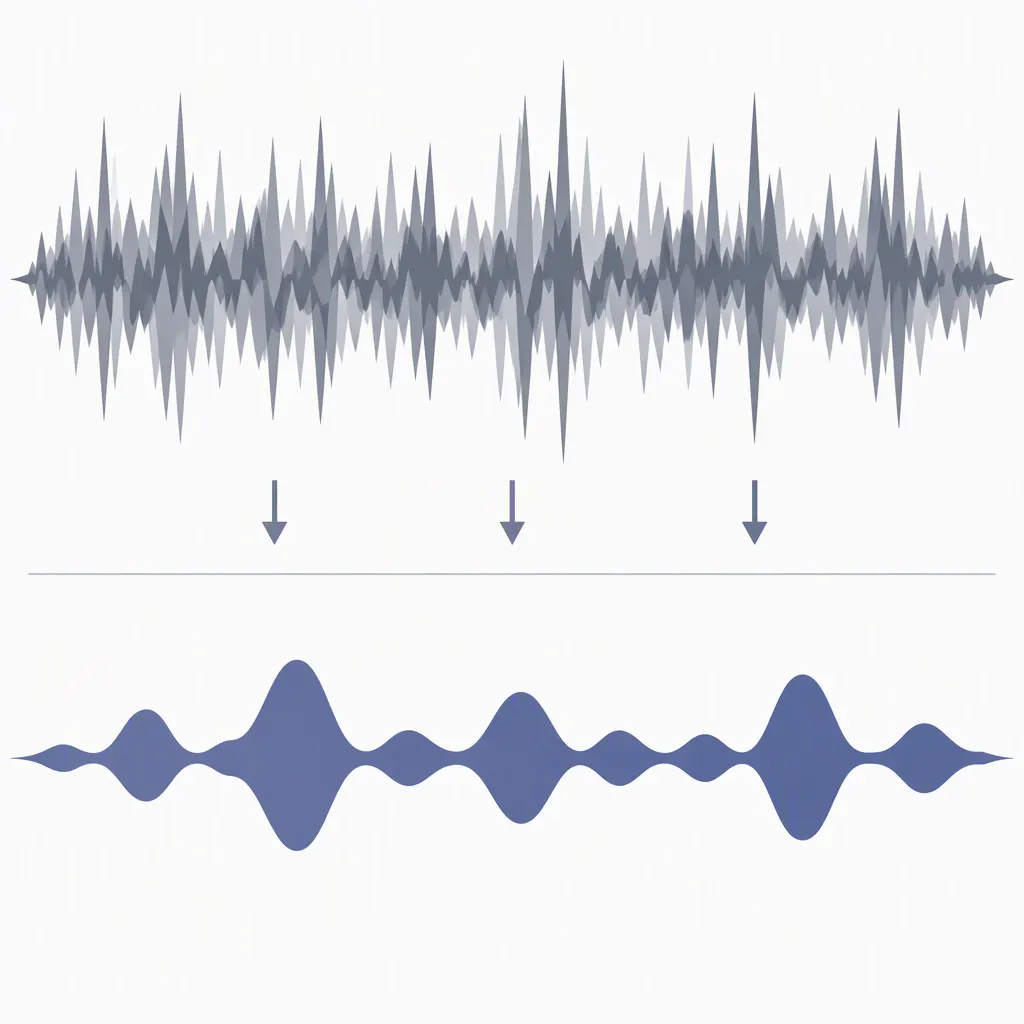
The exclusion ladder: soft, standard, hard
When the same problem keeps coming back across two or three runs, escalate the ladder. Start at the level that fixes the issue and stop. Going straight to the hard block on a small problem wastes the model's attention.
Soft block (one or two exclusions, paired with a positive line):
exclude: drum, drums
positive: solo piano, close-miked, dry room, no percussion
Standard block (three to five exclusions, used when soft fails once):
exclude: vocal, vocals, voice
exclude: drum, drums, percussion, hi-hat
exclude: long reverb tail, washy reverb
positive: solo piano, close-miked, dry room, intimate
Hard block (six or more exclusions, used only when soft and standard both fail and you are about to throw the result away anyway):
exclude: vocal, vocals, voice, voices, choir, spoken word
exclude: drum, drums, percussion, kick, snare, hi-hat, cymbals
exclude: long reverb tail, washy reverb, big hall, cathedral reverb
exclude: drum entry, percussion introduction, beat drop-in
exclude: count-in, click track, metronome intro
exclude: abrupt cut-off, hard stop, unfinished ending
positive: solo piano, close-miked, dry room, intimate, no percussion
The hard block is a long list by design. Treat it as the exception, not the default. If you find yourself using the hard block on three different jobs in a row, the positive description is probably the part that needs rewriting instead.
Four negation traps that waste hours
Exclusion lines look simple and break in predictable ways. Keep these four traps in mind before you commit a long block to a session:
- The word you use becomes the topic. "No more elevator music" can pull elevator music in by name. If you want a non-generic track, name the style you want ("modern lo-fi with vinyl character") rather than describing the thing you are avoiding ("no generic").
- Five exclusions at once hides the one that worked. When you add five exclusions and the result improves, you do not know which one mattered. The four-run test below is built to answer that question directly. Reuse the protocol on every generator you try, so you do not end up with a personal block of folklore that nobody can explain.
- Singular versus plural and spelling variants. Models tokenize the word, not the meaning. If you write "vocal" the model may still pick up "vocals", and "colour" will not exclude "color". Write both forms, or the most common variant of the word you are excluding. This is also the cheapest way to handle regional spelling for a global track.
- Contradicting the positive prompt. If your positive description says "live band, full kit" and your exclusion says "no drums, no percussion", the model has to ignore one of them. Always read the two blocks together as a single instruction. If they disagree, rewrite the positive to leave room for the exclusion.
The four-run test: proving one exclusion worked
Use this protocol every time you add a new exclusion to a saved prompt. It separates real effects from randomness, and it doubles as a way to compare two tools on the same brief.
- Run 1 (baseline). Use the positive prompt with no exclusion line. Save the output as
v1-baseline.wav. - Run 2 (single exclusion). Add exactly one exclusion line in the slot you are testing. Save as
v2-exclude.wav. - Run 3 (seed check). Re-run Run 2 with a different seed or a different generation, if the tool exposes one. Save as
v3-exclude-seedB.wav. - Run 4 (positive rewrite). Keep the same exclusion, but rewrite the positive description to mention the thing you want instead. Save as
v4-exclude-positive.wav.
Then fill in this copy-paste scorecard:
Run: 1 2 3 4
Unwanted element present?      yes / no / yes / no
Tempo drift (more than 4 BPM)?  no  / no  / no  / no
Ending is intentional?          no  / no  / no  / no
Usable in the final cut?        no  / no  / no  / no
Seed had a big effect?          -   / -   / yes / -
Decision: keep / revert / keep only with positive rewrite
Decision rule: keep the exclusion if at least two of Runs 2, 3, and 4 are usable. If only Run 4 works, the rewrite is doing the work, not the exclusion, and you can shorten the exclusion block. If none of them are usable, the positive description is the part to fix.
Copy-paste exclusion blocks by job
Drop one of these blocks in unchanged the first time you tackle each kind of job. Tweak the positive prompt, not the exclusions, until the result drifts, then promote your own line into the block.
Podcast intro bed (10 to 25 seconds):
exclude: vocal, vocals, voice, spoken word
exclude: long reverb tail, washy reverb
exclude: drum, drums, percussion, beat
exclude: count-in, click track
exclude: abrupt cut-off, fade-out
positive: short bright ident, 120 BPM, pluck synth, clean ending
Sleep and meditation track:
exclude: drum, drums, percussion, hi-hat
exclude: key change, modulation, tempo change
exclude: melody, hook, lead instrument
exclude: sudden dynamic jump, drop, riser
exclude: vocal, vocals, voice, voiceover
positive: ultra-slow ambient pad, 48 BPM, no percussion, open loop
Client video underscore:
exclude: vocal, vocals, voice, spoken word
exclude: drum fill, drum solo, drum break
exclude: key change, modulation
exclude: long instrumental break
exclude: abrupt cut-off, click on final bar
positive: 100 BPM corporate pop, clean guitar, soft pad, loopable
Game level loop:
exclude: drum fill, drum solo
exclude: key change, modulation
exclude: solo, lead instrument, hook
exclude: loud chorus, big build, drop
exclude: abrupt cut-off, fade-out, frozen ending
positive: ambient game music, 88 BPM, woodwinds and soft drone, returns to start chord
Vocal demo (instrumental only):
exclude: vocal, vocals, voice, voices, choir, harmony, ad-lib
exclude: spoken word, voiceover, talkbox
exclude: vocal sample, vocal chop
positive: instrumental, 96 BPM, electric guitar, tight drums, room to lay vocal later
Building your permanent negative block
Once the four-run test gives you a stable set of lines for a job, save them as a named block. The template below is meant to be filled in once and reused. Keep the positive half and the exclusion half in the same file so the two stay in agreement as the project grows.
project: [name]
date: [YYYY-MM-DD]
generator: [tool and version]
goal of the track: [one line]

positive prompt:
- genre and instrumentation: ...
- mood and tempo: ...
- vocal direction: ...
- structure: ...

exclusion block:
- instrument: exclude: ...
- event: exclude: ...
- texture: exclude: ...
- arrangement: exclude: ...
- ending: exclude: ...

test results:
- v1 baseline usable: yes / no
- v2 single exclusion usable: yes / no
- v3 seed check usable: yes / no
- v4 positive rewrite usable: yes / no
- decision: keep / keep with rewrite / revert
When the next job of the same kind starts, copy the template, change only the fields that should change, and run the four-run test again. The block gets sharper each time, and you end up with a working set you can show another person.
Where exclusions stop helping
Exclusion lines are a generation-time lever. They do not fix a track that has already been rendered. If you are at the mix stage, the right tool is a stem split, an EQ band, a volume automation pass, or a re-render with a different seed. The same logic applies to licensing: exclusions do not change who owns the output or what you can do with it. For that side of the project, the license reading playbook and the daily credit budget model are the more useful pages. If the unwanted thing is a vocal artifact instead, the nine vocal fixes page is closer to the problem.
Common questions
Do all AI music generators support negative prompts?
Coverage is uneven. Some tools give you a dedicated exclusion field, some bury the same control in a style box, and a few ignore the line entirely. The four-run test is the safest way to confirm that the tool you are using actually reads the exclusion in the slot you are putting it in, before you spend ten runs on a block that does nothing.
Should exclusions go in the style box or a separate field?
If the tool gives you a separate field, use it. If it only gives you one style box, put the exclusion on its own line at the end of the prompt and test that placement against a one-line inclusion. Keep the line that produced the cleaner output, and use the same placement for the next job on the same tool.
How many exclusions is too many?
A practical ceiling is five to six exclusion lines per run, with each line in its own slot. More than that and the model starts to lose the shape of the positive prompt. If you need more than six, the positive description is probably the part that needs rewriting.
Why do vocals still appear when I exclude them?
Two common reasons. The first is the singular versus plural problem, where the model matches only one form of the word. The second is that the positive prompt still describes a song with a singer in it, so the model reads the exclusion and the inclusion together and picks the inclusion. The fix is to remove the singer from the positive half and add every variant of the word vocal you can think of to the exclusion.
Can exclusions fix a bad mix?
No. Exclusions shape the next generation, they do not edit an existing one. If the output is close but the mix is wrong, the right next step is a stem split, an EQ pass, or a re-render with a different seed, not a longer exclusion block. Trying to fix a bad mix with more exclusions is how people end up with a thirty-line block and a still-bad track.
Do exclusions change the licensing or ownership of the output?
No. The license depends on the tool, the plan, and the use case, not on what the prompt said. For that side of the project, the license reading playbook walks through the four clauses that matter in a typical agreement.
Where do negative prompts sit inside the wider prompt formula?
They are the fifth and final part of the five-part prompt formula. The first four parts describe what you want; the fifth removes what you do not. The two halves belong in the same file so they stay in agreement as the project grows.
Bottom line: name the slot, paste one line, run the four-run test, then keep or revert. A short exclusion block that you can explain will beat a long one you cannot, on every job.